

Products
Products are the heart of your store here. This is where you create what you sell.
What this screen is
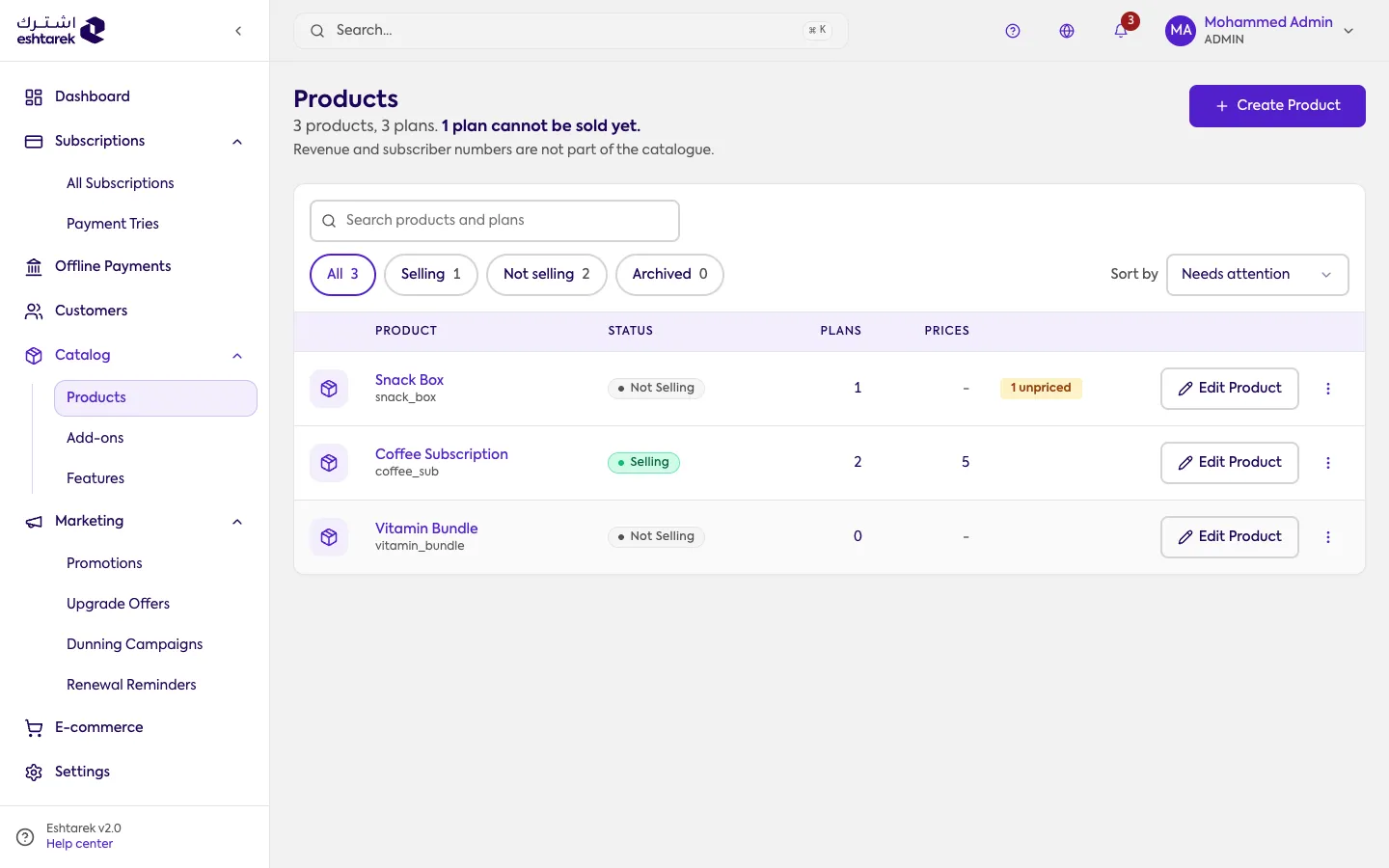
Section titled “What this screen is”A table of your products, one row each. Under the heading, a line summarises the catalog: how many products and plans you have, and how many plans cannot be sold yet.
There are three levels, in this order:
- Product is the family, such as “Coffee Subscription”.
- Plan is a tier inside it, such as “Basic” or “Premium”.
- Price is a billing option on the plan, such as monthly or yearly.
The catalog carries no money. Revenue and subscriber counts are not here; you will find them on the Dashboard and in Subscriptions.
The columns
Section titled “The columns”- Product: the name your customer sees, with its checkout code beneath.
- Status: sellable or not. A product becomes sellable once it has at least one plan with an active price.
- Plans and Prices: how many. A zero under prices means the product cannot be subscribed to.
- Alerts: what is blocking the sale, such as a plan with no price.
- Actions: Edit Product opens Product settings.
Above the table: a search across products and plans, tabs for all, sellable, not sellable and archived, and a sort by that can put what needs attention first.
When you create a product you enter the minimum only. Plans and prices come afterwards, not in the same step.
What happens after you save
Section titled “What happens after you save”A new product appears in the table immediately, as not sellable. It does not become sellable until it has a plan, and a plan cannot be subscribed to until it has at least one active price. Until then the alerts column says so.
If something goes wrong
Section titled “If something goes wrong”- A plan is not showing to customers: check it has an active price and that its status is active.
- You cannot find a product: try the archived tab. An archived product is hidden from the others.
- You are looking for revenue or subscriber counts: they are deliberately not in the catalog.