

General
Set your store’s basic details and regional settings.
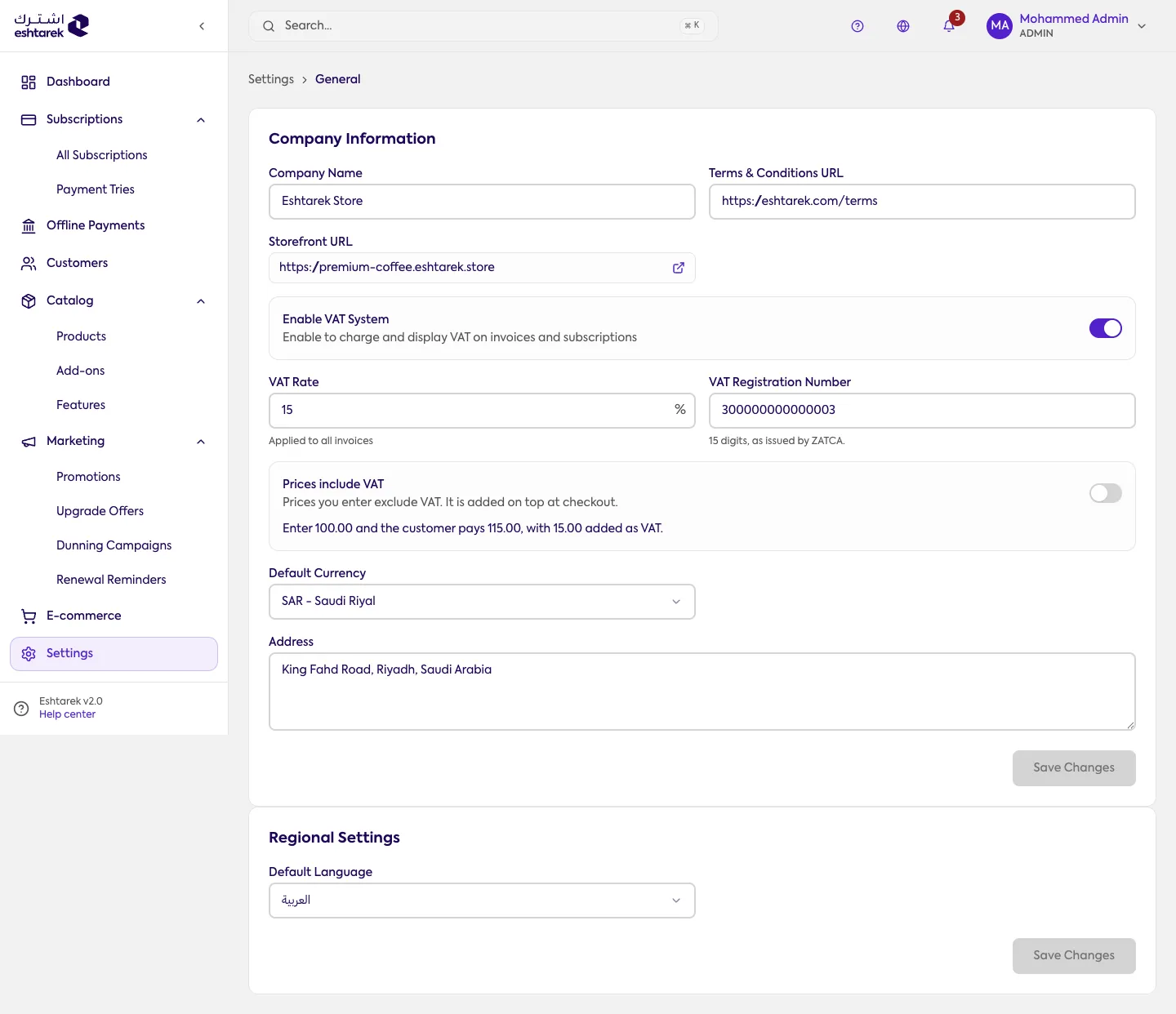
What this screen is
Section titled “What this screen is”Your store’s core settings in one place: company information, regional settings, tax, and your online store URL.
The fields
Section titled “The fields”- Company information: company name, legal name and business address.
- Default currency: an account-wide setting, not a per-price choice. The list comes from the currencies enabled for your account, so what you see is what can actually be saved.
- Timezone, default language and week start.
- Online store URL: used to build checkout links. See going live.
Here you enable tax calculation, set the tax rate and tax number, and choose how your prices are read:
- Prices include tax: the price you enter is what the customer pays, with tax calculated inside it. Enter 100 and they pay 100, of which 13.04 is tax at 15%.
- Prices exclude tax: tax is added on top at checkout. Enter 100 and they pay 115.
This choice changes what you keep from each sale, not the numbers in your list. The prices in your catalog stay exactly as they are; what changes is how they are interpreted. Switching to inclusive means your share of the same price drops by the tax, and the reverse means your customer pays more. That is why the screen asks you to confirm.
The confirmation appears on save, not when you move the switch, and it spells out the effect with an example:
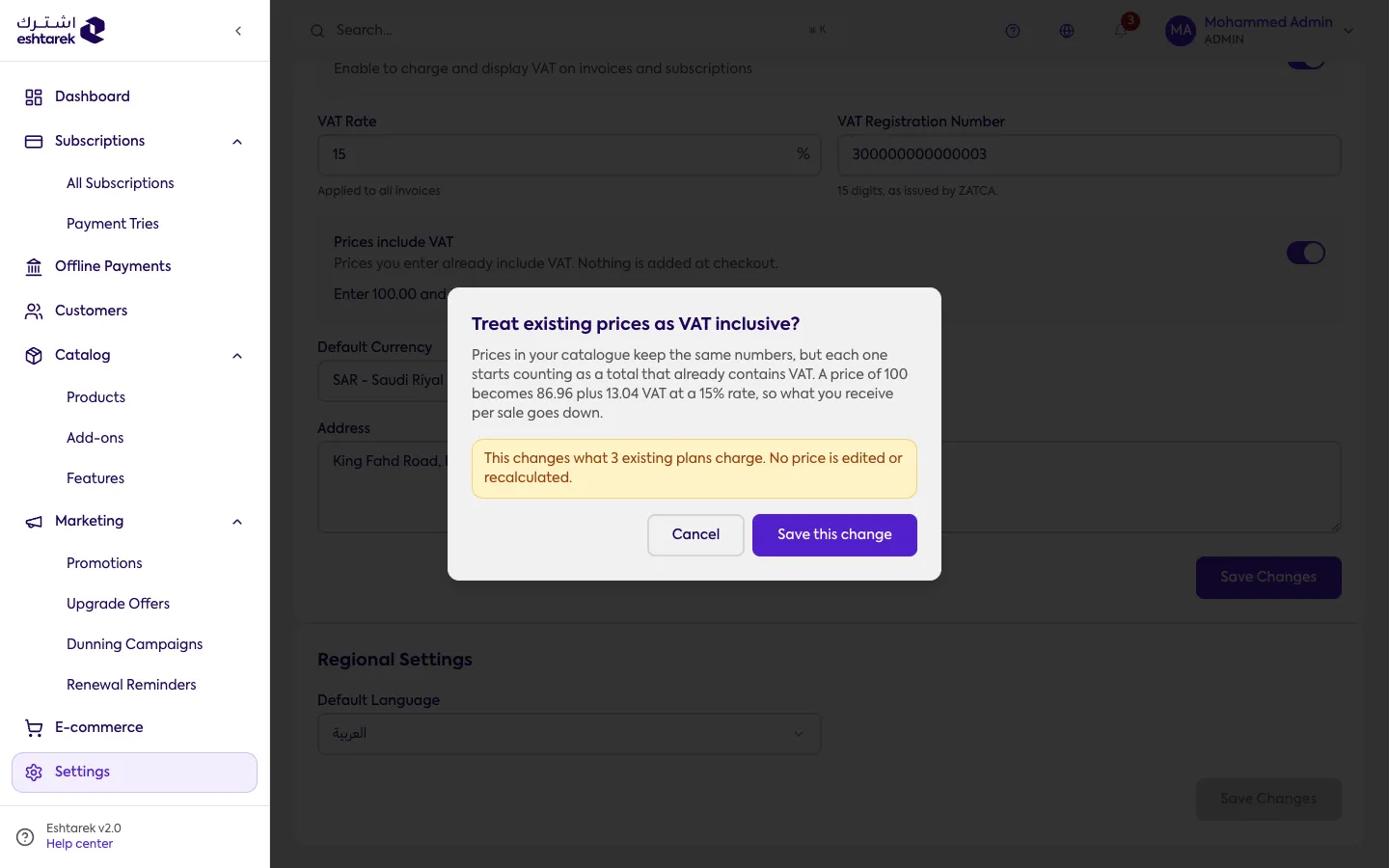
The calculated tax is shown to the customer on their payment receipt.
What this does not cover: calculating tax is one thing, an official document is another. The platform calculates and displays tax; it does not issue a document approved by the tax authority. If your business is required to produce one, produce it from your accounting system.
What happens after you save
Section titled “What happens after you save”Changes apply to your store and what your customers see. The currency affects how every price is displayed.
Company information saves as one block. If one field is rejected, the fields beside it in that section are not saved either, so read the message and try again rather than re-entering everything.