

Zid products
This is where you choose which Zid products are sold as subscriptions, and link each one to a plan.
What this screen is
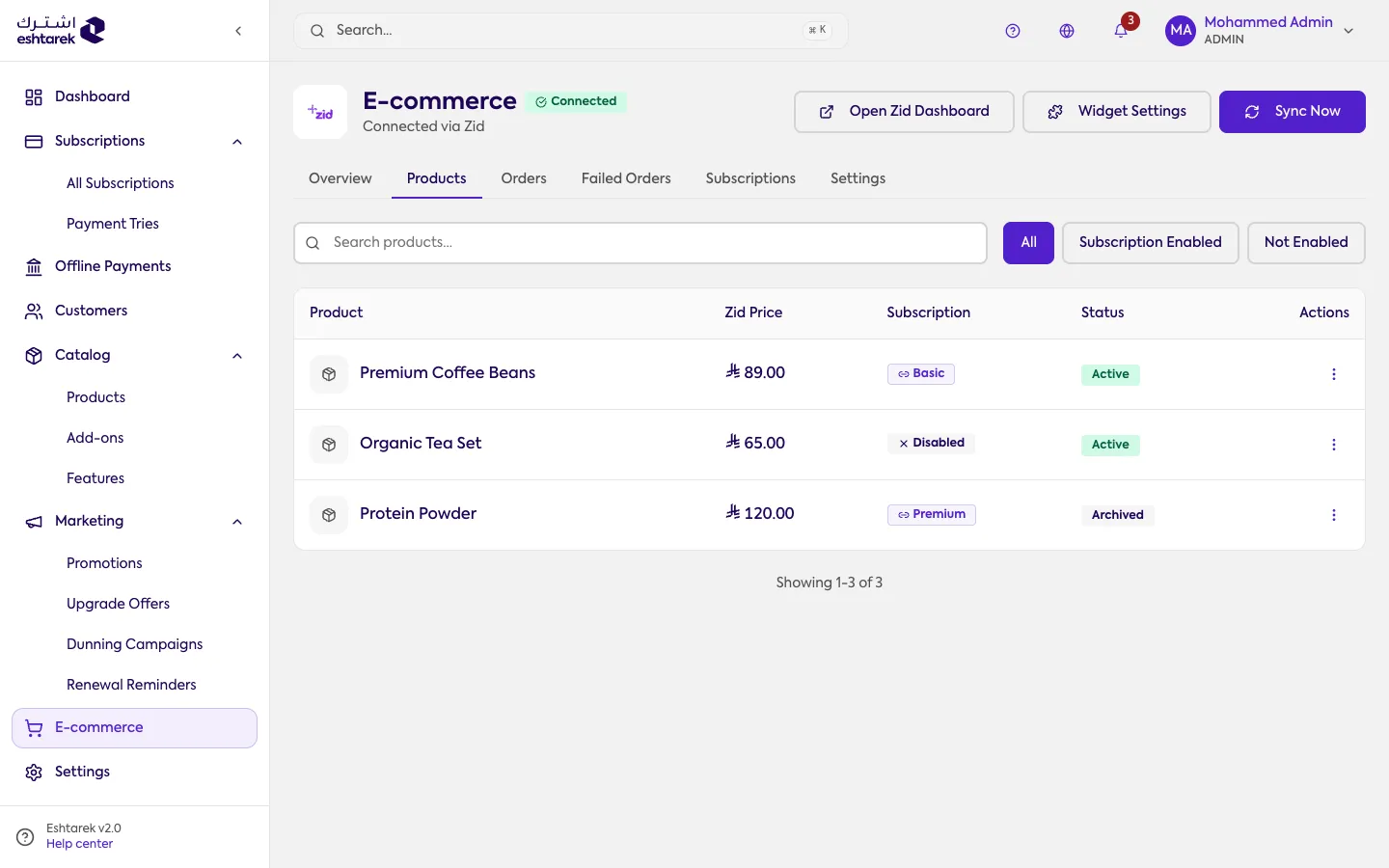
Section titled “What this screen is”After syncing your Zid catalog, your products appear here. For each one you enable subscriptions and link it to a plan you created in the catalog.
The columns
Section titled “The columns”- Product: its name in Zid, with its image.
- Zid price: the product’s price in your store, not the plan’s price.
- Subscription: the linked plan, or disabled if it is not sold as a subscription.
- Status: the product’s status in Zid itself, active or archived.
- Actions: including opening the product in your Zid store to preview it as a customer sees it.
Above the table: a search, and tabs for all, subscription enabled and not enabled.
What happens after you save
Section titled “What happens after you save”A product linked to a plan becomes sellable as a subscription. Products that do not appear need a catalog sync first.
How to link a product to a plan
Section titled “How to link a product to a plan”From the row’s More actions menu choose Map to plan, and a side panel opens:
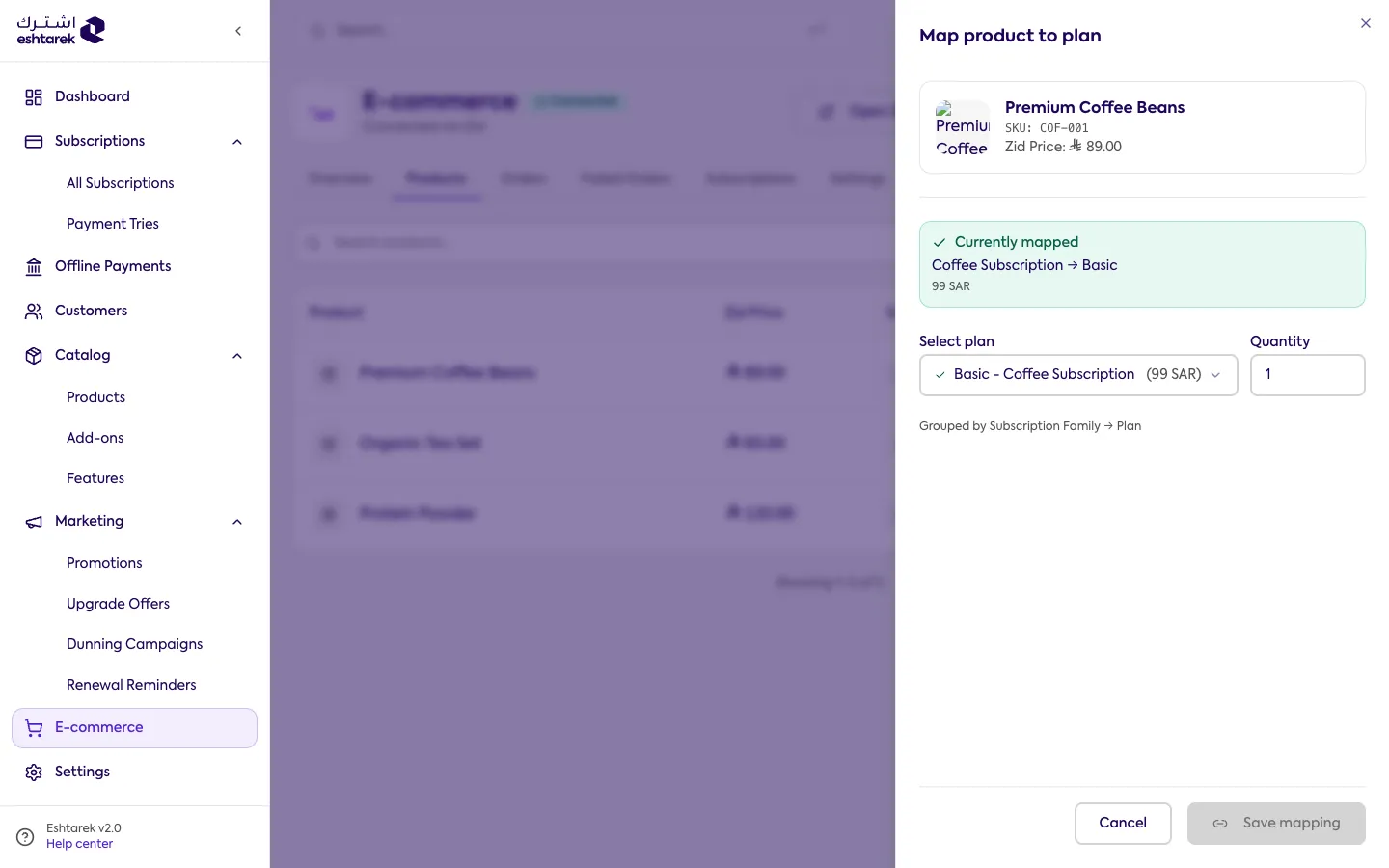
The panel shows the product and its Zid price, the current link if there is one, then you pick the plan and the quantity and save. Plans are grouped by the product they belong to, so pick one that is sellable.
Mind the plan you link to, not just the link. Linking a product to a plan that cannot be sold, one with no active price or an archived one, leaves the product visible in your store without producing a valid subscription. The screen warns you, and the fix is on the plan page.
If something goes wrong
Section titled “If something goes wrong”- You cannot find a product: sync your Zid catalog from the Zid integration page.
- You cannot link a product: make sure there is a plan ready to link it to.