

Failed Orders
Orders your store gave up creating in Zid, and why it stopped.
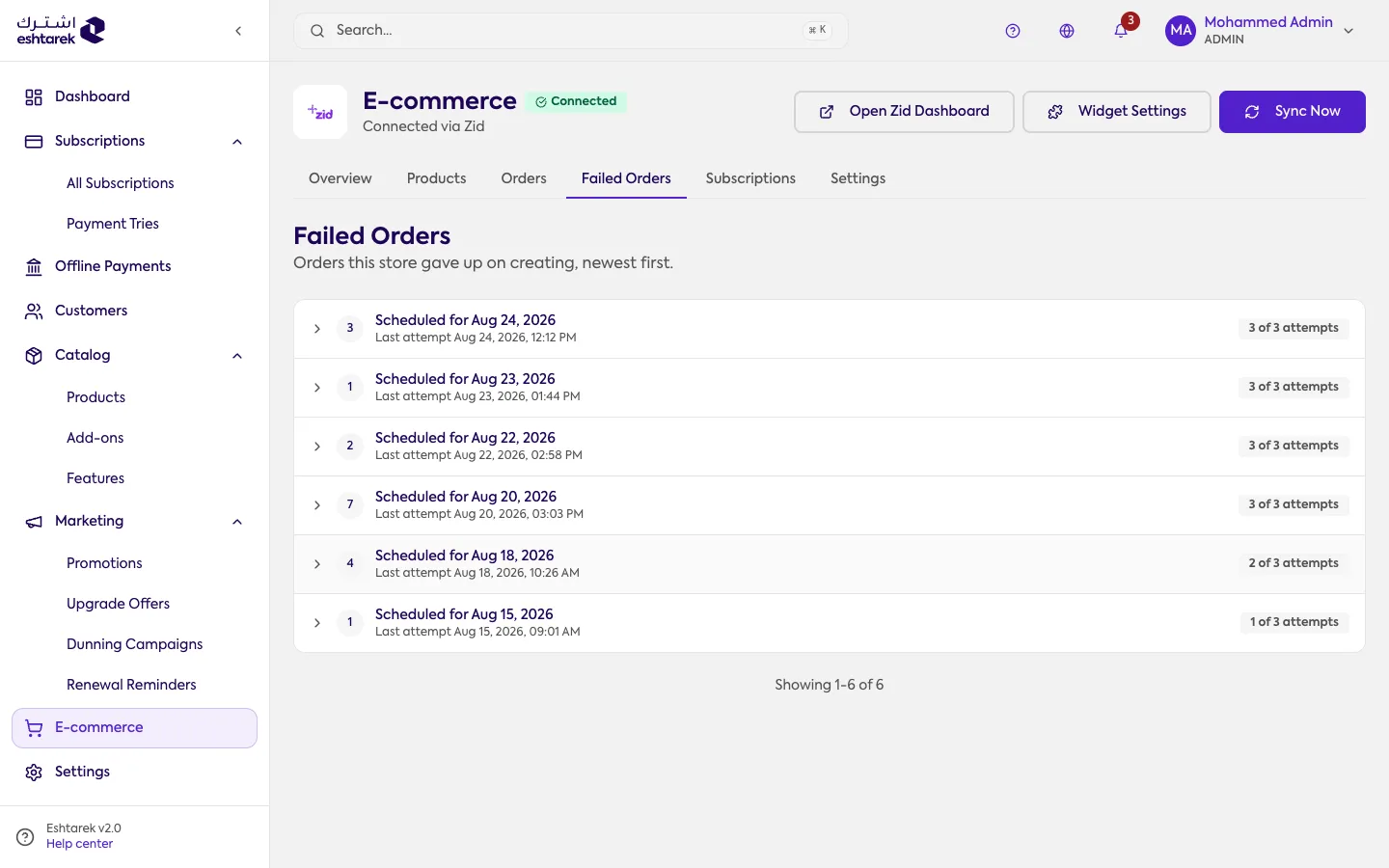
What this screen is
Section titled “What this screen is”When each payment in a subscription falls due, an order is created for the customer in your Zid store. If that fails, it is retried up to three attempts, then it stops and the row appears here. So every row is a payment a customer owed and never received an order for.
The screen is read-only, with no retry button: all three attempts are already spent before a row appears.
You will find it in the Failed Orders tab inside the Zid section, and it needs owner or admin access.
The fields
Section titled “The fields”- Scheduled for: the date the order should have been created.
- Last attempt: when the most recent attempt ran.
- Attempts: such as “3 of 3 attempts”.
- Attempt history: open the row to see it. Each attempt with its number, time and reason for failing. The reason comes from Zid itself, such as the product being hidden or unavailable.
- View subscription: a button inside the row that takes you to the customer’s subscription. The list does not show customer names, so the subscription is how you find out whose it is.
The list is newest first and shows 20 rows per page.
What to do when a row appears
Section titled “What to do when a row appears”- Open the row and read the reason for the last attempt.
- Fix the cause in your Zid store, such as unhiding the product or correcting its availability, so future payments do not fail the same way.
- Open the subscription to identify the customer and make good on their payment. A failed payment is not retried automatically once it appears here.
If something goes wrong
Section titled “If something goes wrong”- “Failed orders could not be loaded”: the list was not fetched, and this is not a report that none have failed. Press retry.
- The list is empty: “no failed orders” means every order has succeeded so far.
- You cannot see the tab: the screen is available to owner and admin only.