

Zid orders
Track the Zid orders that contain subscription products.
What this screen is
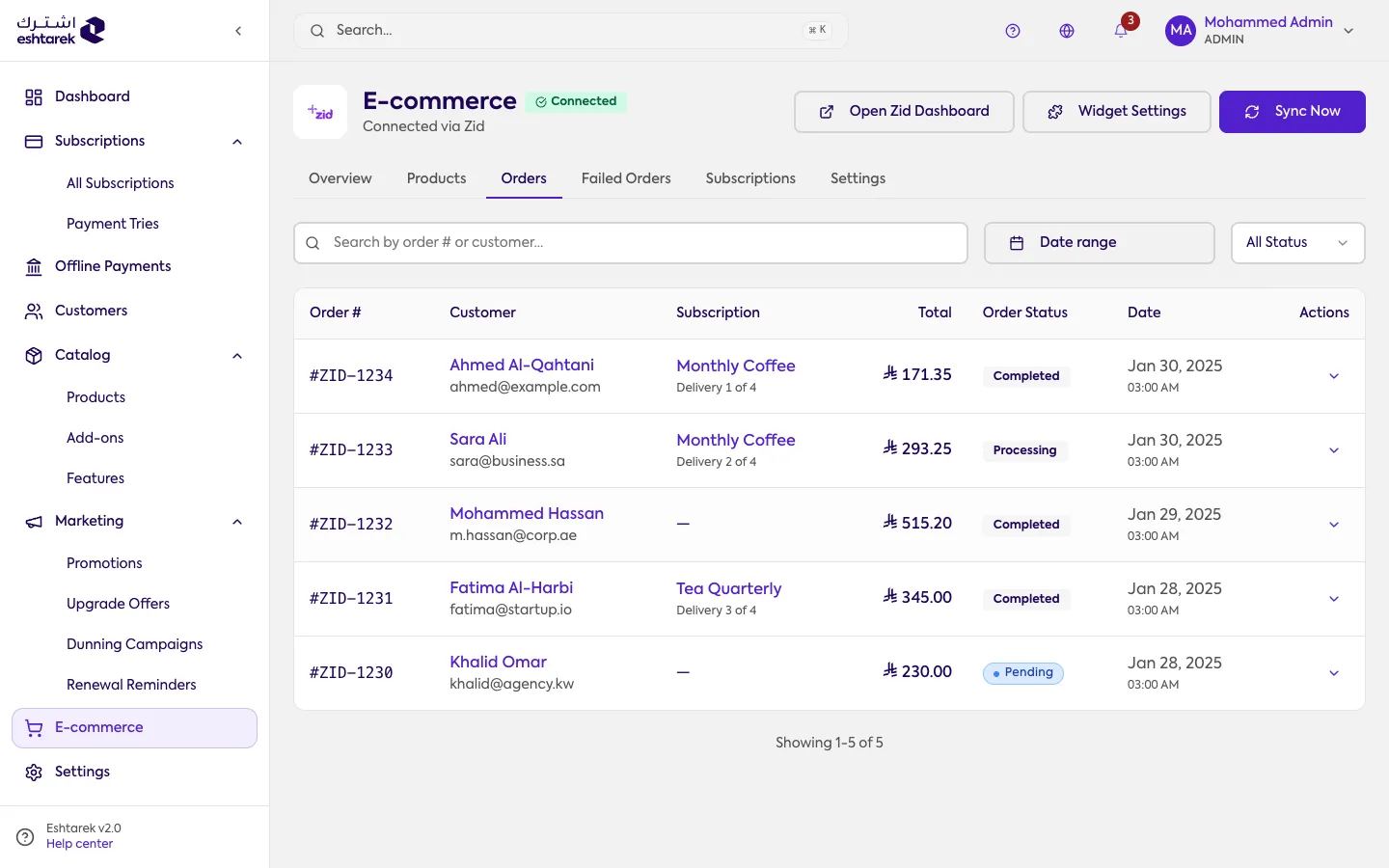
Section titled “What this screen is”The orders your subscriptions created in your Zid store, newest first. You search by order number or customer name, and filter by status and date range.
Each row shows the order number, the customer, the subscription that created it and which delivery it is, the total, the order status and its date.
Order details
Section titled “Order details”Open a row with Order details and it expands underneath, without leaving the page:
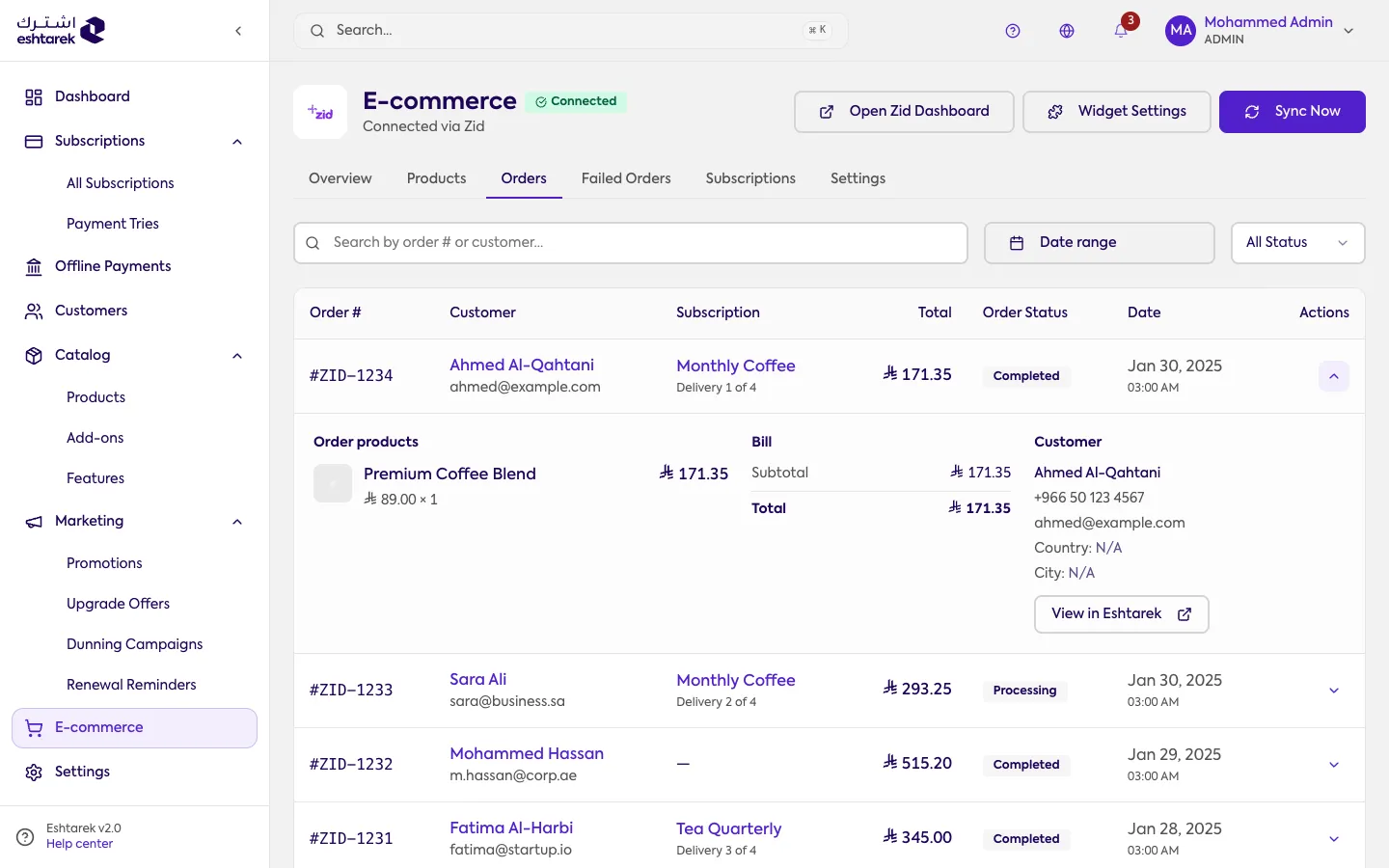
- Order products: what is in it, quantity and price.
- The bill: subtotal and total.
- The customer: name, email, phone and address where available.
- View subscription: takes you to the subscription that created this order.
The fields
Section titled “The fields”- Subscription: the plan name, with “delivery 1 of 4” beneath, meaning where this delivery falls in the cycle.
- Total: the order amount. When it is an estimate rather than confirmed by Zid, the row says so.
If something goes wrong
Section titled “If something goes wrong”- There are no orders: only orders containing subscription products appear here.
- A payment is due but has no order: the order most likely failed to be created. See Failed orders.